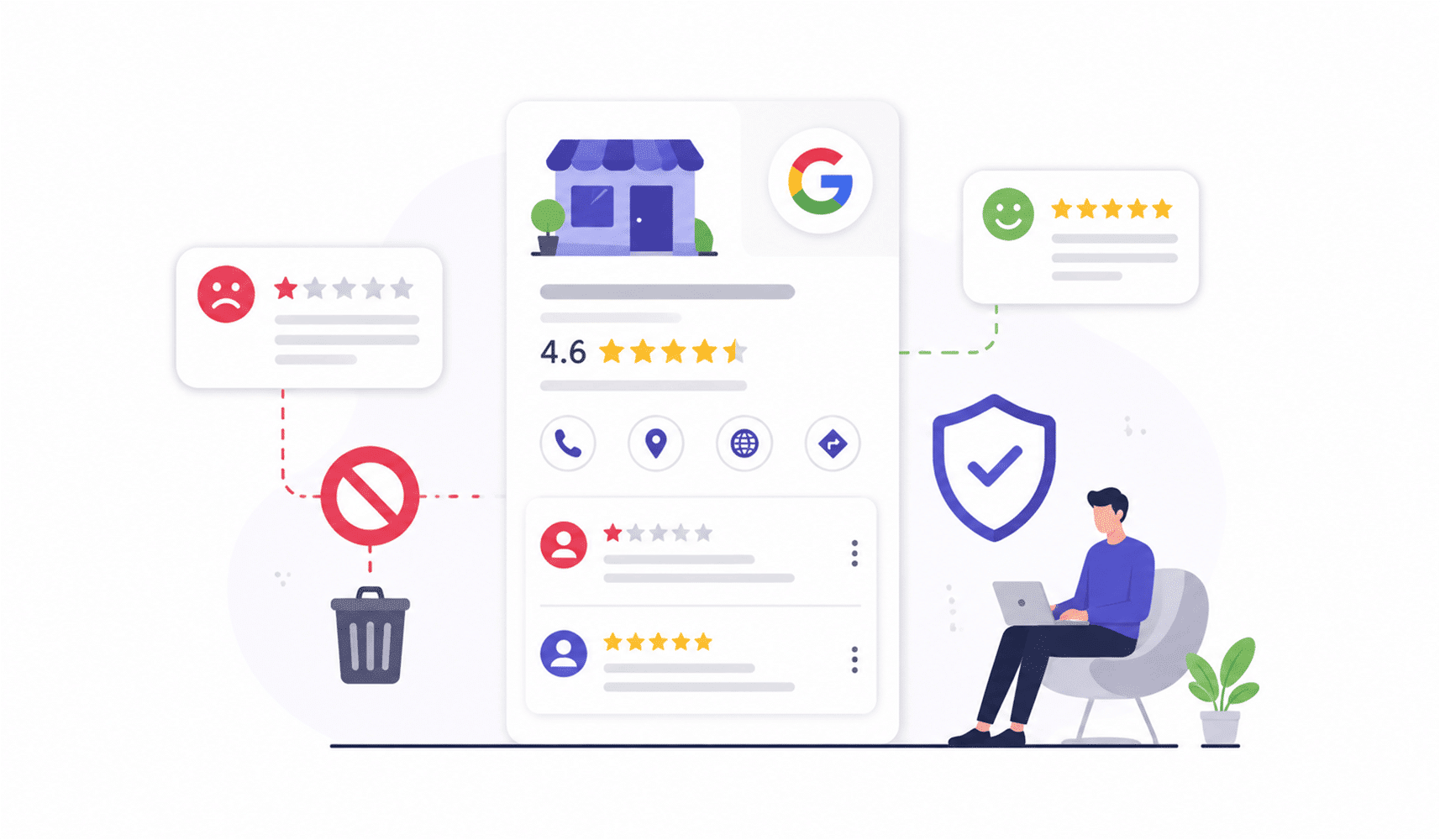
Picture this: It’s Monday morning. You grab your coffee. You open your Google Business Profile. And there it is. A brutal one-star review staring you in the face. Your heart sinks. Your palms sweat. You think: “What will my potential customers think?” Here’s the truth we’ve learned the hard way: bad reviews on Google My business doesn’t have to tank your reputation. Not even close. We’ve watched dozens of business owners turn these moments into genuine wins, showcasing customer service that builds real loyalty.
The difference? They had a playbook. A strategy. A calm head.
So we’re handing you ours. This is exactly how we handle, respond to, and strategically remove bad reviews from Google My Business without losing sleep at night.
Step 1: We Pause and Assess Before We Act
Before we do anything, we take a breath. Not every negative review is a battle worth fighting.
We ask ourselves three critical questions:
- a) Is this review genuine? Did this person actually visit the business?
- b) Does it violate Google policies? (Spam, fake content, hate speech, conflict of interest… you know the drill)
- c) Is this an opportunity to shine? Can we turn this into a reputation win?
Here’s what we’ve discovered: If the answer to (a) is yes and (b) is no, honestly, we don’t always want to remove it. A legit complaint handled publicly with grace builds infinitely more trust than a perfect 5-star profile ever could.
That’s how we think about reputation management.
Step 2: Respond First, Before We Even Flag
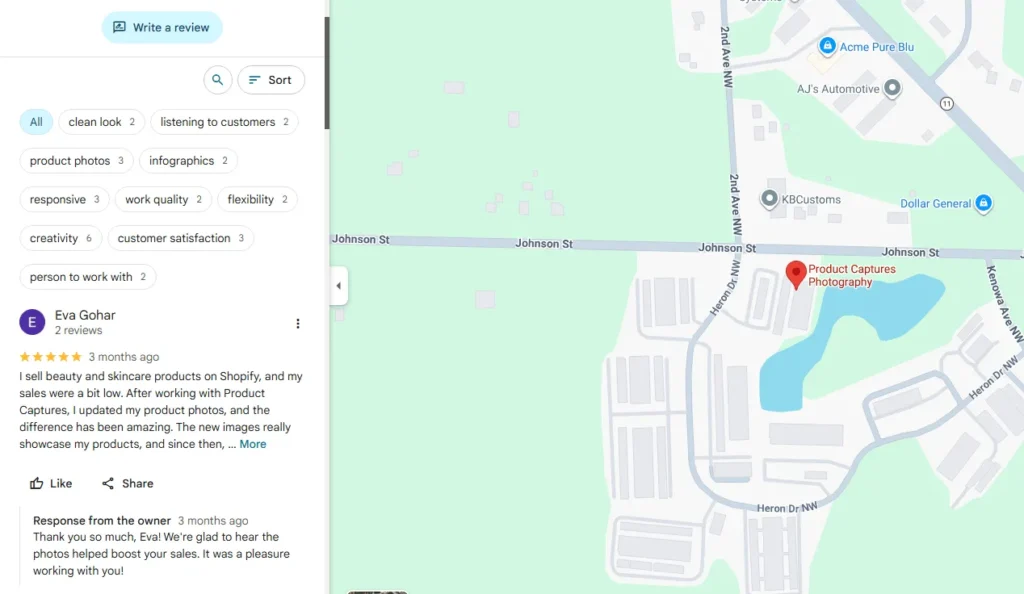
Credit: productcaptures.com
Here’s our golden rule: Always reply before flagging.
Why? Because while we’re waiting for Google to review the flag (which can take days), that review sits there. Dozens of potential customers see it. But our response? That tells them everything about who we are.
We use this formula every single time:
- Thank them for the feedback
- Apologize for their experience
- Explain briefly (without sounding defensive)
- Take it offline by offering direct contact
- Keep it short: no novels here
Here’s what we actually write:
“Hey [Name], thanks for sharing your experience. We’re sorry we didn’t meet your expectations on [specific issue]. We take this seriously and would love to make it right. Please reach out to me directly at [email] so I can look into this personally.”
Boom. Professional. Warm. Done in seconds.
Step 3: Flag Reviews That Break the Rules
Now, if you spot a review that’s clearly fake, spammy, abusive, or from someone who was never a customer, that’s when we take action.
Here’s the step-by-step process to delete a Google review for my business (or more accurately, flag it for removal):
Method 1: We Flag Directly From the Profile
This is what you should do when you want quick action:
- Log in to the Google Business Profile (with the right account!)
- Click “Read reviews”
- Find the problematic review
- Click the three dots (⋮) next to it
- Select “Flag as inappropriate”
- Choose the violation reason. Be specific!
- Hit Submit
Method 2: We Use Google’s Review Removal Tool (Our Preferred Method)
Honestly, we prefer this approach because it gives us tracking and appeal options:
- Head to Google’s Review Removal Tool
- Confirm our email
- Select the business
- Click “Report a new review for removal”
- Pick the review, choose the reason, submit
Pro tip from our experience: Never flag the same review twice. It actually slows things down, not speeds them up.
What We Know Gets Removed: Google’s Rules
Credit: reputationstacker.com
We’ve flagged enough reviews to know exactly what Google will and will not remove. Not every review qualifies.
Here’s what we’ve seen removed:
- Spam or fake content (review from someone who never visited)
- Hate speech or harassment
- Conflicts of interest (competitors or ex-employees posting)
- Off-topic rants (not about the business at all)
- Sexually explicit or illegal content
- Impersonation (pretending to be someone else)
But if the review says “The burger was cold,” and we own a burger joint? We don’t fight it. We fix the burger.
Step 4: We Appeal When Google Says No
We’ve been rejected. It happens. But we don’t give up.
We have one more shot, and we take it:
- Head back to the Reviews Management Tool
- Click “Check the status of a review I reported previously.”
- Select “Appeal eligible reviews”
- Choose the review
- Click “Submit an appeal”
- Write a clear, evidence-backed explanation
We include:
- Screenshots proving the reviewer wasn’t a customer
- Customer records showing no matching transaction
- Specific policy references
- Any additional evidence of the violation
Google usually responds in 5 to 7 business days. We’ve had success with this method multiple times.
Step 5: When We Can’t Remove It, We Dilute It
Credit: sociablekit.com
Here’s the reality: Some bad reviews on Google My Business stick around. And we’ve made peace with that.
Our strategy when removal isn’t possible?
- a) We flood the zone with positive reviews from our happy customers
- b) We share our Google reviews link directly with every satisfied client
- c) We create QR codes for in-store displays.
- d) We use Google My Business posts to showcase wins and success stories
The math is simple: 50 five-star reviews mathematically bury one bad one.
And here’s our hack for how to get Google review link for my business:
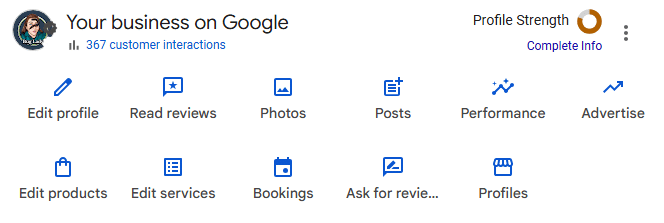
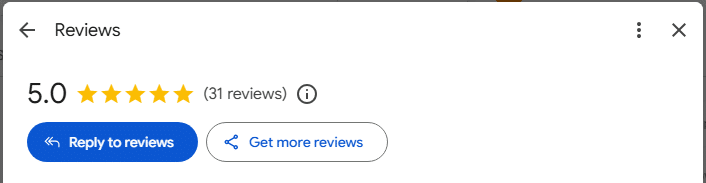
- Log into the GBP dashboard and select read reviews.

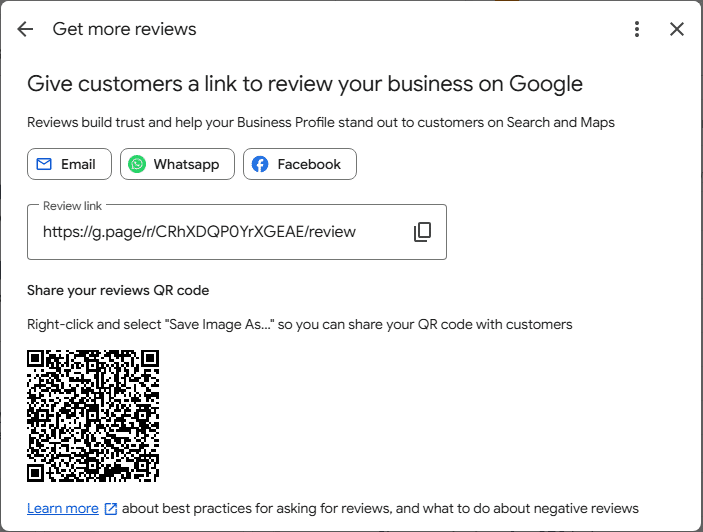
- Go to Reviews and select get more reviews.

- Copy the review link and share it via email, WhatsApp, or Facebook, or print it as a QR code at the register. Easy.

The 3-Part Reputation System
This is our real playbook:
A strong reputation does not come from pretending every review is perfect. It comes from handling feedback well, knowing when to report real violations, and steadily earning more positive reviews over time.
The idea is simple:
- Respond quickly and professionally to show that the business cares
- Report reviews that are fake, abusive, or against policy
- Keep building genuine positive feedback so one negative review does not define the profile
That is the real foundation of reputation management. It is not about hiding criticism. It is about creating balance, trust, and a stronger overall impression for future customers.
Real Talk: We’re Here to Help You Crush This
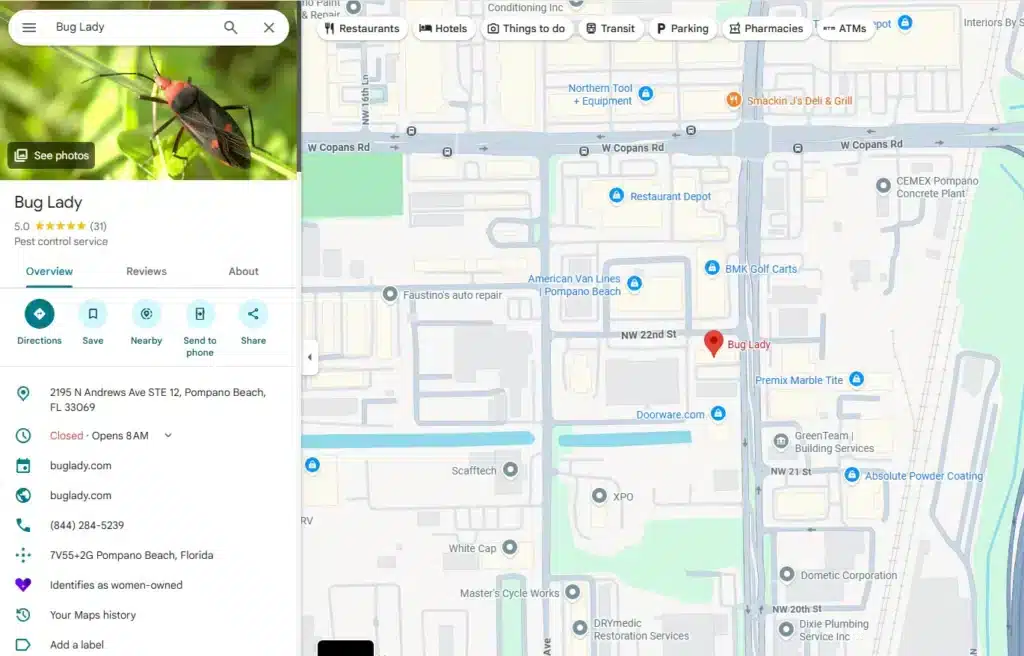
Credit: buglady.com
We won’t sugarcoat it. Managing bad reviews on Google My Business takes strategy, patience, and a thick skin. But it’s absolutely doable.
Here’s what we know works:
- Respond faster than you think you need to. 24 hours is golden.
- Flag only reviews that actually break the rules. Don’t waste Google’s time.
- Appeal when you have evidence. We’ve won appeals that seemed hopeless.
- Generate positive reviews consistently. This is the real power move.
- Use Google My Business to tell your story. Posts, photos, updates, the whole thing.
We Don’t Just Manage Reviews. We Build Entire Strategies.
Handling bad reviews on Google My Business is one puzzle piece. Your entire Google Business Profile needs our attention.
We help with:
- Building stunning Google Business Profiles that convert
- Creating content that ranks and resonates
- Running ads that actually work
- Generating consistent, authentic positive reviews
- Building your complete digital presence
Final Reflections
Summing up, bad reviews on Google My Business aren’t the enemy. Ignoring them, panicking, or fighting every single one is. Respond with grace, flag strategically, appeal when you have evidence, build positive momentum, and tell your story through posts, photos, and updates. The businesses that win are the ones that stay calm, stay professional, and keep earning positive reviews. And if you need help with reputation management, Google My Business optimization, or building your complete digital presence, we’ve got your back.
Let’s turn those reviews into proof of how great your business really is.
FAQ’s
Got questions? Let’s clear up some of the most common ones about handling reviews and managing your online reputation.
Can we remove a review from Google Business ourselves?
Nope. Only Google can remove reviews. We can flag them, but we can’t hit “delete.” So when people search “Can I remove my review from Google Business?” the answer is: only the reviewer or Google can.
Can we disable reviews on our profile?
Not really. Google wants customer feedback visible. We can’t turn off Google reviews completely. You can disable reviews for non-physical service-area businesses in some regions, but it’s rare.
How long does Google actually take?
Typically 3 to 5 business days for initial review. Appeals take 5 to 7 more. We always plan for the longer timeline.
Why aren’t our Google reviews showing?
Usually a verification glitch, a new profile, or Google’s spam filter. When we check on “Google My Business reviews not showing” issues, we verify the listing is active and confirmed.
Can we get Google My Business review notifications?
Absolutely! We enable this in the GBP dashboard settings. We get email alerts for every new review, and we respond immediately.