Ever wondered why some websites attract Google’s attention while others struggle to get noticed? Here’s a little secret. It’s not always about publishing more content or stuffing pages with keywords. Sometimes, it’s about the connections your website makes. Yes, I’m talking about links! Think of your website as a coffee shop. Some people recommend your shop and send customers your way. Others visit your shop and discover recommendations for places worth exploring. That’s exactly how inbound vs outbound links work in SEO. One brings visitors to your website. The other guides them toward useful information elsewhere. But which one actually helps your rankings? And how do you use both without confusing Google?
Time to break it down, minus the complicated SEO jargon!
What Are Inbound Links?
Credit: sanjayshenoy.com
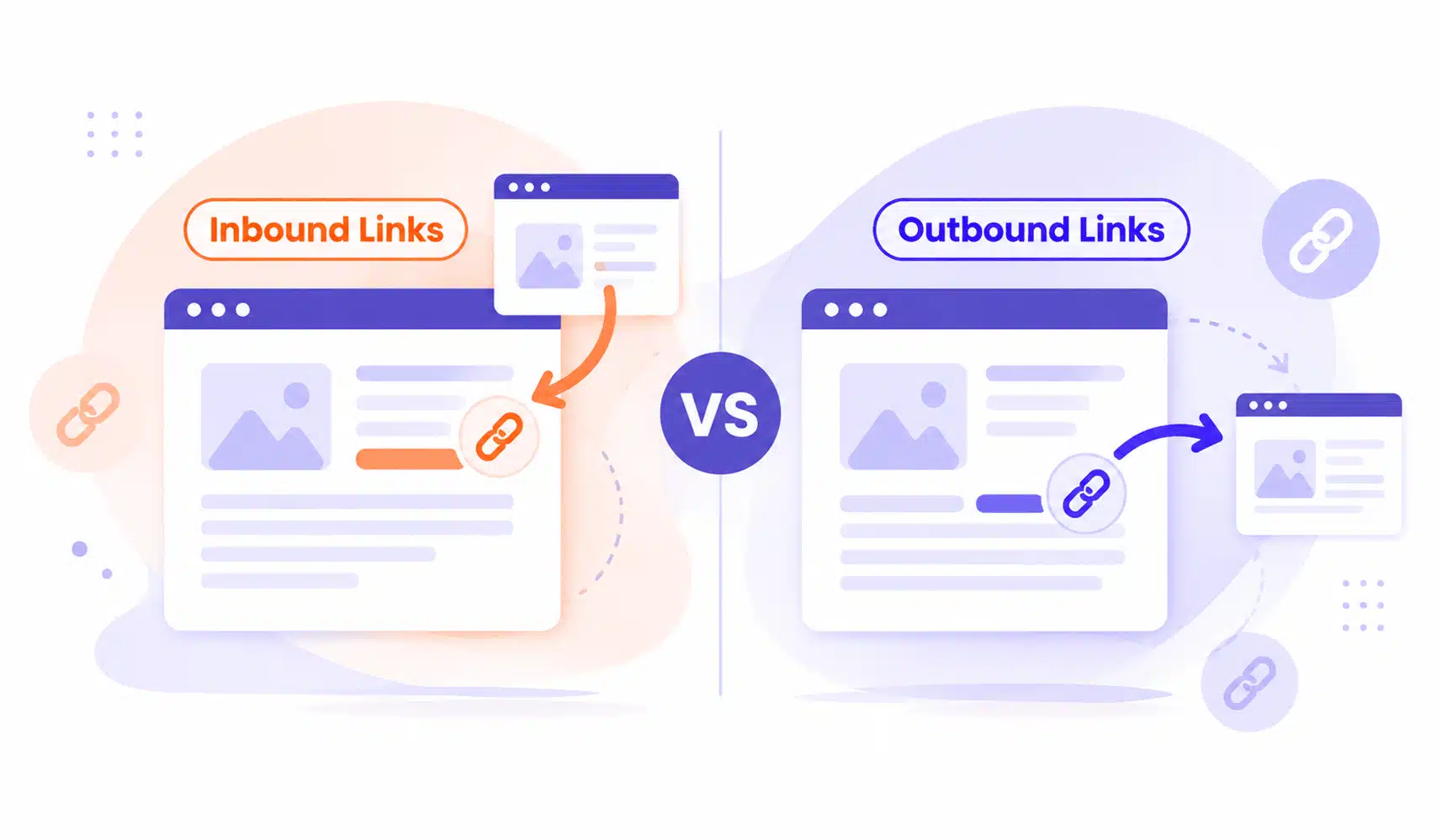
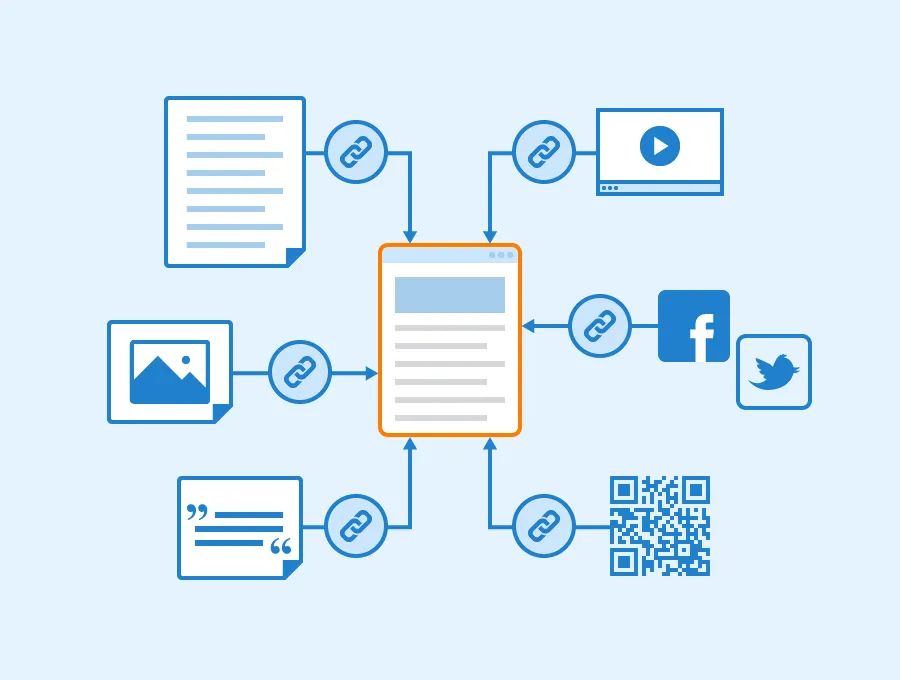
Imagine a popular Dubai lifestyle magazine publishes an article about the best digital marketing agencies. It mentions your business and adds a clickable link to your website. Congratulations! You’ve earned an inbound link.
So, what are inbound links exactly?
They’re hyperlinks that connect another website to yours. SEO professionals also call them backlinks.
How Do Inbound Links Work?
When another website links to your content, it creates a path that visitors and search engines can follow.
Here’s what a valuable inbound link can do:
- Build credibility: Relevant websites can strengthen your online reputation.
- Attract visitors: Readers discover your business through another website.
- Support rankings: Quality backlinks can contribute to your search visibility.
- Expand your reach: New audiences find your content organically.
But here’s the catch.
Not every backlink deserves a celebration. One relevant link from a trusted industry publication can offer more value than dozens of questionable directory links.
Remember: Quality beats quantity. Every single time.
What Are Outbound Links?
Credit: observix.ai
Now, let’s flip the situation.
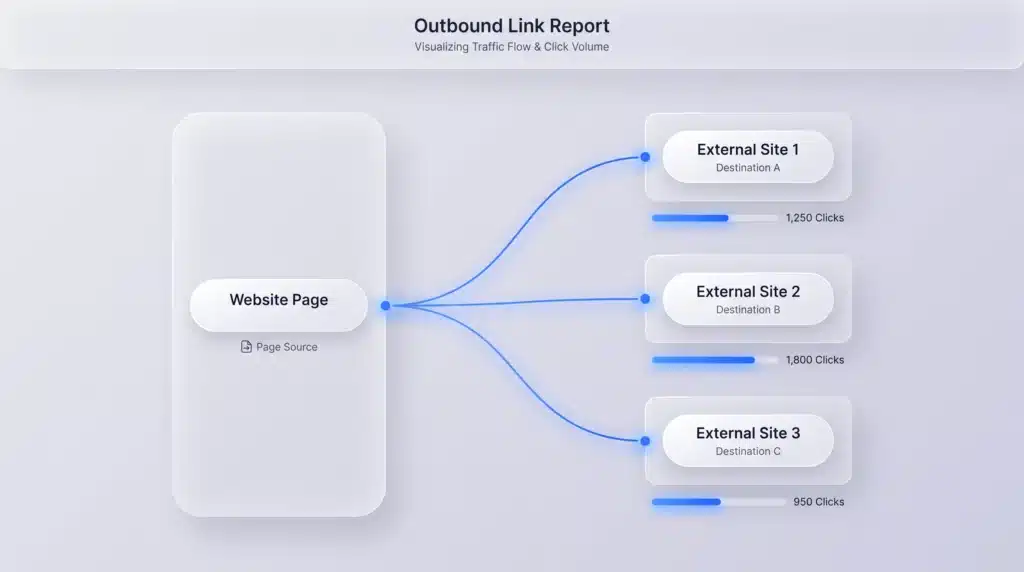
Suppose you’re writing a blog about SEO trends. You mention a Google recommendation and link directly to its official documentation. That’s an outbound link!
If you’re wondering what are outbound links, they’re clickable hyperlinks that take visitors from your website to another domain.
How Do Outbound Links Work?
Outbound linking connects your readers with additional information that supports your content.
For example, you might link to:
- Google’s official SEO documentation.
- An industry research report.
- A trusted statistics website.
- A helpful tutorial or educational resource.
These connections give readers more context. They also show that you’ve researched your topic.
And do outbound links help SEO?
They can help you create more useful, trustworthy content. However, adding external links doesn’t automatically improve your Google rankings. The secret isn’t linking everywhere. It’s linking where it genuinely helps.
What Is the Difference Between Inbound vs Outbound Links?
Here’s where people usually get confused. The biggest difference isn’t the link itself. It’s the direction in which it sends visitors.
Let’s make inbound links vs outbound links ridiculously simple.
Feature | Inbound Links | Outbound Links |
Direction | Another website → Your website | Your website → Another website |
Source | External website | Your website |
Destination | Your pages | External pages |
Main purpose | Build authority and attract traffic | Support information and guide readers |
SEO role | Can strengthen ranking signals | Adds context and improves usefulness |
Control | Mostly controlled by other websites | Controlled by you |
The A-B-C Formula for Understanding Links
a) Inbound = Someone recommends you.
Another website links to your content because it finds something valuable.
b) Outbound = You recommend someone else.
You direct readers toward a useful external resource.
c) Internal = You guide visitors around your own website.
You connect different pages within your domain.
That’s the foundation of inbound outbound links!
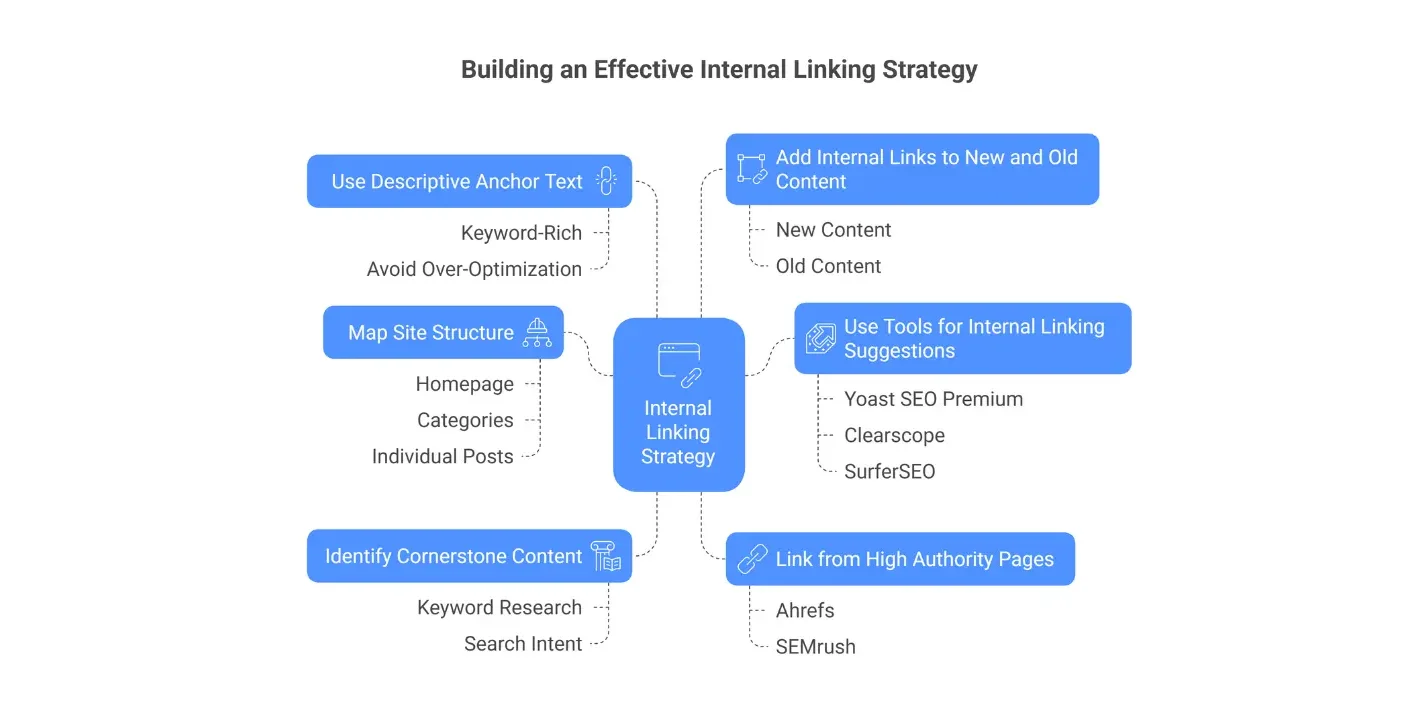
And don’t overlook that third category. Internal links help visitors discover relevant pages and allow search engines to understand your website’s structure. For instance, if you’re building a business website, choosing the right domain matters too. Our guide on .net vs .com explains how to choose a domain extension that fits your brand.
That’s internal linking in action!
Inbound Links vs Outbound Links for SEO: Which One Wins?
Credit: ai-bees.io
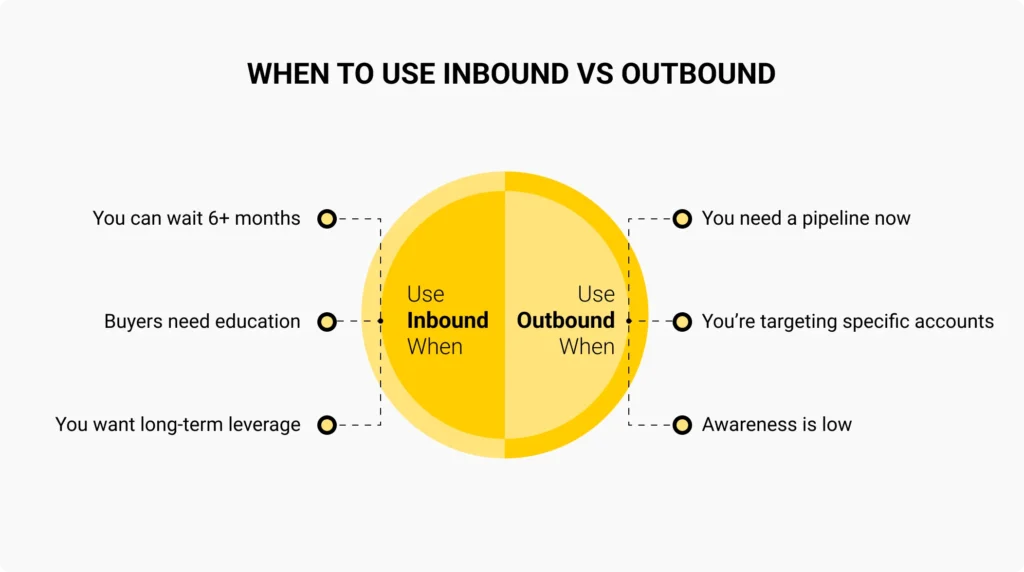
Alright, here’s the million-dollar question. When comparing inbound vs outbound links, which type deserves more attention?
The answer depends on what you’re trying to achieve.
1. Inbound Links Can Strengthen Authority
Imagine two websites selling similar products.
Website A has earned backlinks from respected industry blogs, newspapers, and educational resources. Website B has almost no relevant backlinks.
All else being equal, Website A may have an advantage because reputable external websites reference its content. Google uses links among its systems for discovering pages and assessing their relevance and importance.
Still, backlinks alone don’t guarantee top rankings.
2. Outbound Links Can Support Credibility
Now consider a blog that makes impressive claims without sharing any sources.
Would you trust it completely?
Probably not.
Good outbound links SEO practices help readers verify facts and explore topics further. For example, linking to official Google documentation gives readers a reliable place to check SEO recommendations.
3. Which Has a Stronger SEO Impact?
For building backlink authority, inbound links generally play the stronger role. For supporting useful content, external linking has its place. The smartest approach uses both naturally.
Don’t choose one team. Build a strategy where every link has a purpose.
Inbound Link Examples vs Outbound Link Examples
Credit: enigma.swiss
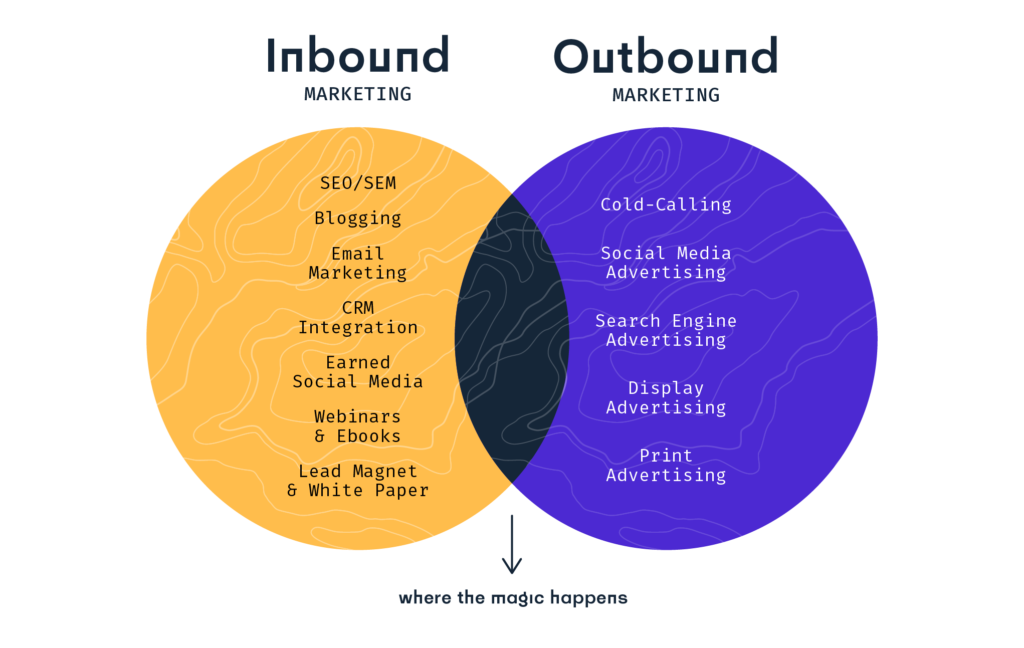
Let’s make this even easier with some everyday examples.
Example A: An E-commerce Website
A UAE fashion blog recommends your clothing store and links to your homepage.
Result: You receive a backlink and potentially attract interested shoppers.
Example B: A Digital Marketing Blog
You publish an article explaining website performance and link to Google’s PageSpeed Insights tool.
Result: Readers can test their websites using a relevant resource.
Example C: A Business Website
You publish a blog explaining SEO and link to your own service page.
Result: Visitors can move from learning about SEO to exploring your services.
Notice something?
These three examples illustrate external, inbound, and internal linking without turning your content into a maze.
How Can You Get More Inbound Links?
Credit: postaffiliatepro.com
Here’s the exciting part.
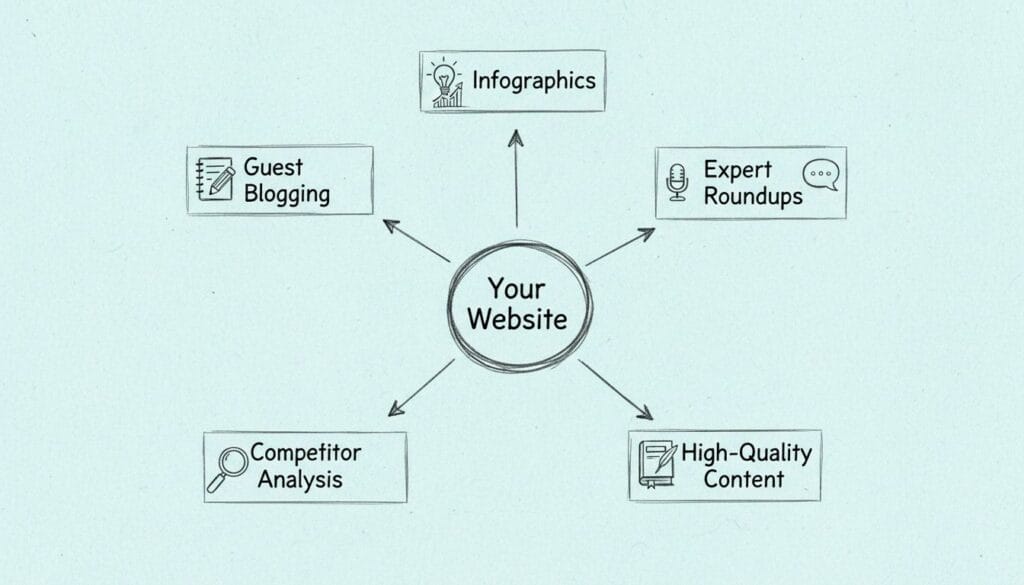
You don’t need to sit around hoping someone discovers your website. You can actively create reasons for people to link to it. If you’re wondering how to create inbound links, start with these strategies.
a) Create Content People Want to Reference
Nobody wants to link to another boring article that repeats information available everywhere. Give readers something useful.
Try creating:
- Original research and industry surveys.
- Detailed how-to guides.
- Free templates and checklists.
- Infographics that explain complex concepts.
- Case studies with real results.
The better your resource, the more reasons other websites have to reference it.
b) Make Digital PR Your Best Friend
Have an interesting industry insight? Share it! Reach out to relevant journalists, bloggers, and publications. Offer useful research, expert opinions, or original observations.
A thoughtful contribution can earn coverage and potentially a backlink.
c) Write Valuable Guest Contributions
Guest blogging isn’t dead. Poor guest blogging is. Contribute genuinely useful articles to relevant websites with real audiences. Focus on expertise, not squeezing backlinks into every paragraph.
Avoid paid link schemes or excessive keyword-rich anchor text.
d) Build Resources That Stay Useful
An evergreen guide can attract attention long after publication. Keep your facts updated. Fix broken references. Improve examples when needed. You can also work with a reputable inbound link building company for a structured outreach strategy.
At Hashtag Media, our SEO services focus on improving visibility through content, technical optimization, and competitive strategies.
When Should You Use Outbound Links?
Credit: editorial.link
Here’s my simple rule.
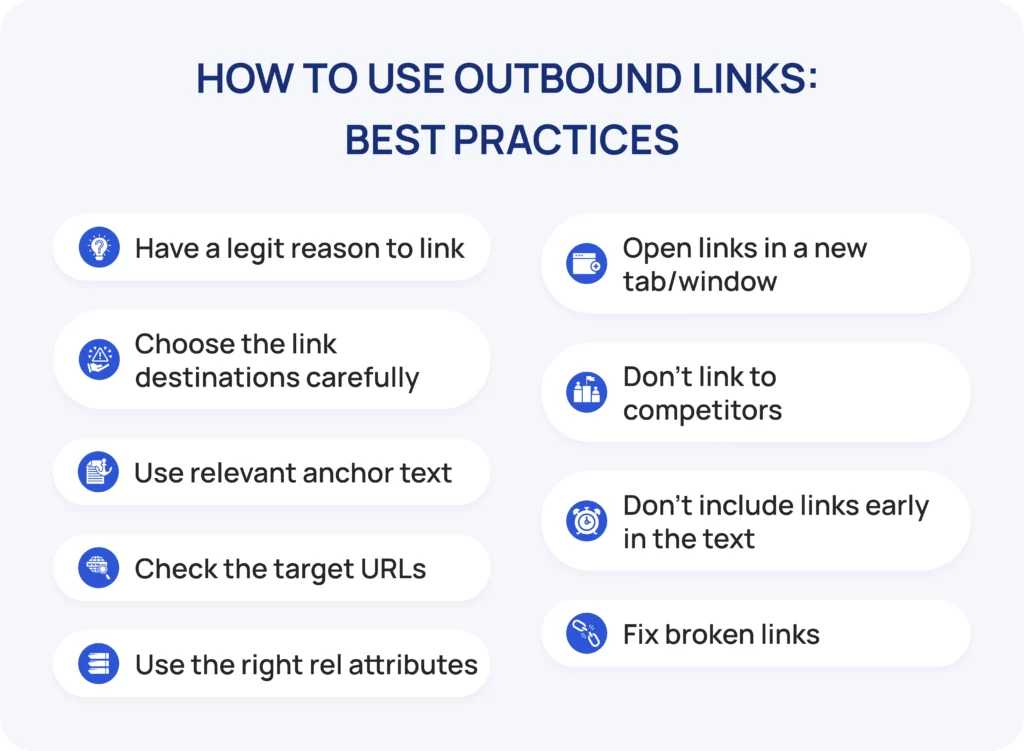
If an external resource makes your article more useful, link to it. But don’t add links just to tick an SEO checklist.
Three Moments When External Links Make Sense
i. When you’re supporting a claim
Mentioning research, statistics, or technical recommendations? Let readers explore the original source.
ii. When you’re referencing expert information
Official documentation, government websites, and recognized industry resources can help clarify complicated topics.
iii. When you’re offering extra value
Sometimes another website explains a supporting topic in greater detail. Instead of rewriting everything, guide readers toward that resource.
How to Add Outbound Links in WordPress
Wondering how to add outbound links in wordpress?
It’s surprisingly simple.
- Open your WordPress post or page editor.
- Highlight the words you want to turn into a link.
- Click the link icon or press Ctrl + K.
- Paste the external webpage URL.
- Save the link and update your post.
One quick tip: Use descriptive anchor text instead of vague phrases like “click here.”
Also, add rel=”sponsored” for paid or sponsored links. Use rel=”ugc” where appropriate for user-generated links, and follow when you don’t want to endorse a destination.
How Many Inbound and Outbound Links Should a Website Have?
Wouldn’t SEO be easier if Google gave us a magical number? Five backlinks here. Three external references there. Instant rankings! Unfortunately, that’s not how it works. There’s no universal number of inbound vs outbound links that guarantees better rankings.
Instead, consider three things.
1. Relevance Before Quantity
Ten unrelated links won’t necessarily outperform one highly relevant reference. Choose connections that match your content and audience.
2. Give Internal Linking Equal Attention
A strong website doesn’t leave important pages isolated. Use thoughtful internal linking to connect blogs, services, and related resources. For example, a guide about keyword research could link to your SEO service page. This makes navigation easier and helps search engines discover connected content.
3. Watch for Warning Signs
You may need to improve your link strategy when:
- Your articles contain dozens of irrelevant external references.
- Important pages have no internal links pointing toward them.
- Most backlinks come from suspicious or unrelated websites.
- Your anchor text repeats the same exact keyword unnaturally.
- Readers must leave your website to understand basic information.
Think useful connections, not arbitrary link counts.
Common Link Building Mistakes to Avoid
Even experienced marketers make linking mistakes.
The good news? Most are easy to prevent.
Mistake #1: Buying Random Backlinks
Hundreds of cheap backlinks might sound tempting. But links created primarily to manipulate rankings can violate Google’s spam policies.
Earn relevant mentions rather than chasing suspicious offers.
Mistake #2: Ignoring Broken Links
A link that leads to a missing page frustrates visitors. Review important links regularly and replace outdated destinations.
Mistake #3: Overusing Exact-Match Anchor Text
Repeating the same keyword in every backlink can look manipulative. Use natural, descriptive wording instead.
Mistake #4: Forgetting Internal and External Links
Some websites focus entirely on backlinks while ignoring their own navigation. Others reference so many external websites that their content becomes difficult to follow.
Balance matters.
Mistake #5: Treating Every Link as Equal
A relevant editorial mention isn’t the same as a random comment spam link. Always evaluate the source, context, and potential value.
The Smart Linking Checklist: Before You Hit Publish
Credit: wellows.com
Still wondering whether your article has the right link balance?
I use a simple three-question test.
a) Does this link help my reader?
If it answers a question, supports a claim, or leads to useful information, keep it.
b) Would I trust the destination?
Check the website’s credibility, relevance, and information quality.
c) Does the anchor text explain what’s coming?
Readers should know what they’ll find before clicking.
If your link passes all three questions, you’re probably on the right track.
The Final Link
Summing up, the debate around inbound vs outbound links isn’t about picking a winner. It’s about understanding how websites connect, share information, and build trust. Inbound connections help other people discover your brand. Outbound references support your content. Internal connections help visitors explore more of your website. Together, they create a stronger browsing experience and a more thoughtful SEO strategy.
At Hashtag Media, we believe successful digital marketing goes beyond collecting clicks. It’s about building visibility, credibility, and meaningful customer connections. Want to make your website easier to discover?
Explore our search engine optimization services and start building a smarter SEO strategy.