Quick question. The last time you wrote a blog post, how did you decide where the links went? If your honest answer is “wherever it felt right,” you’re in good company. Most people treat links like seasoning, and you shouldn’t do that because links are directions. Every link tells your reader, and Google, where to go next and why. So let’s settle the internal vs external link question once and for all. This guide breaks down internal vs external linking for SEO writing. By the end, you’ll know what each link does and when to use it. You’ll also spot the mistakes that quietly hurt your pages.
Ready? Let’s start with the basics.
Internal vs External Links: What’s the Actual Difference?
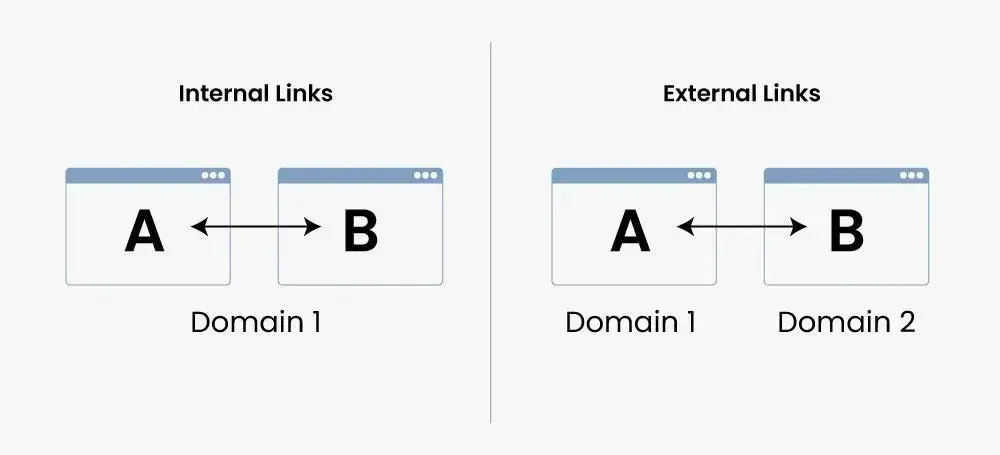
Credit: geeksforgeeks.org
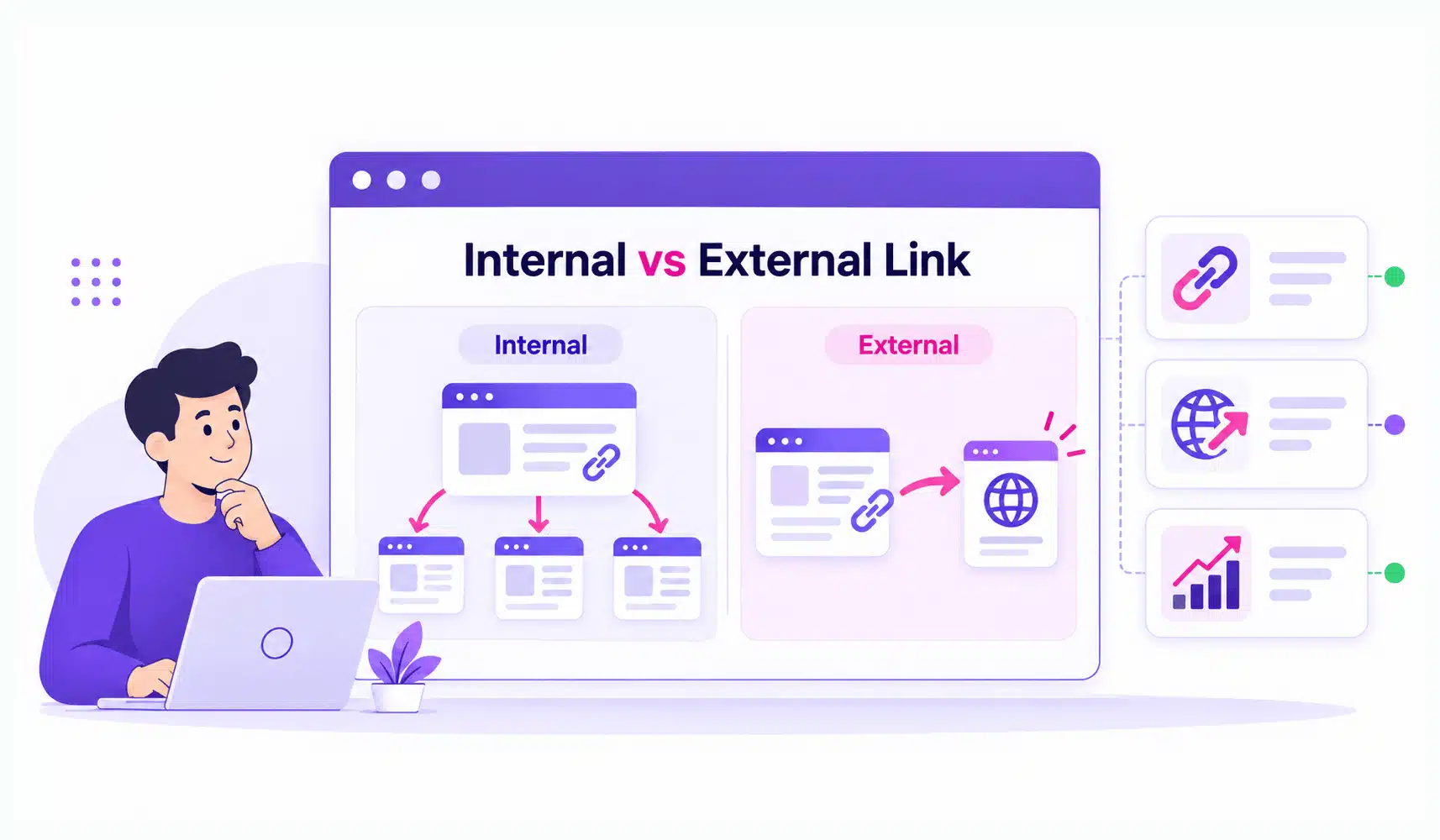
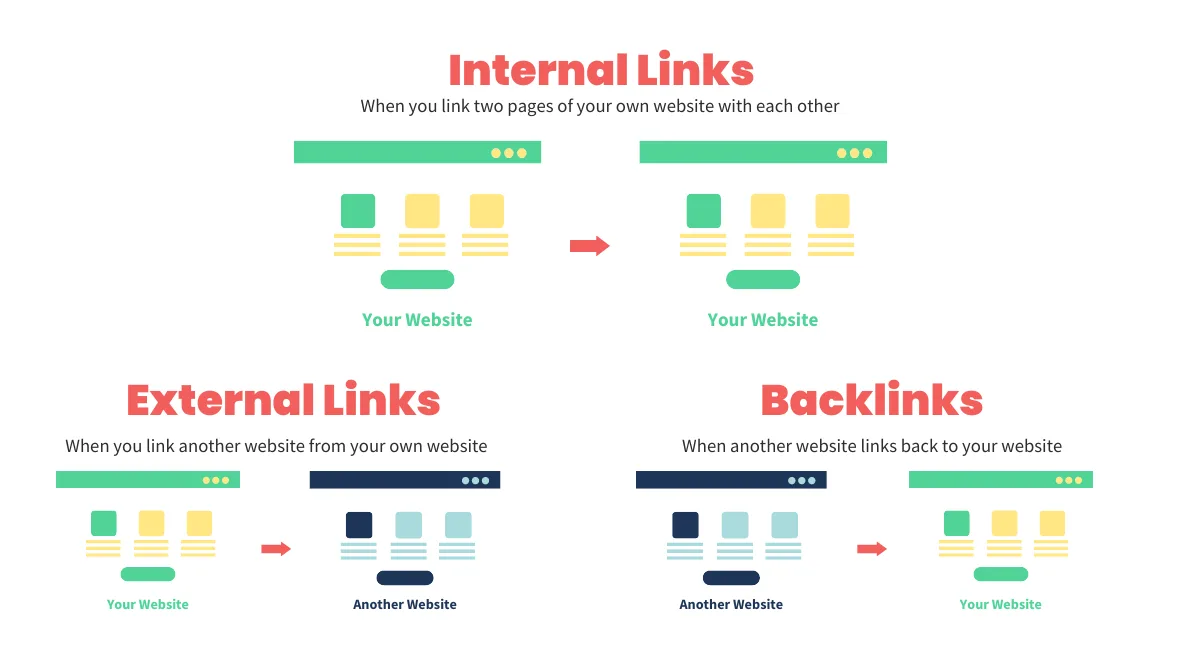
An internal link is a hyperlink that points from one page on your website to another page on the same site. Your menu is full of them, so is your footer, and so is that “related reading” line at the end of a post.
So, what is an external link? It’s a hyperlink that points to a page on a different domain. Cite a study, mention a tool, credit a source- all external links.
Here’s an easy way to remember the difference. Internal links (some people call them inner links) are the hallways inside your building. External links are the doors to other buildings.
One warning before we go on. People use “external link” to mean two different things:
- Outbound link: a link you place on your site that points to another site.
- Backlink: a link another site places that points to yours.
Same link type but opposite direction. This guide focuses on outbound links, because those are the ones you control. Backlinks are earned, and that’s a different game.
Internal vs External Links at a Glance
Here’s the difference at a glance.
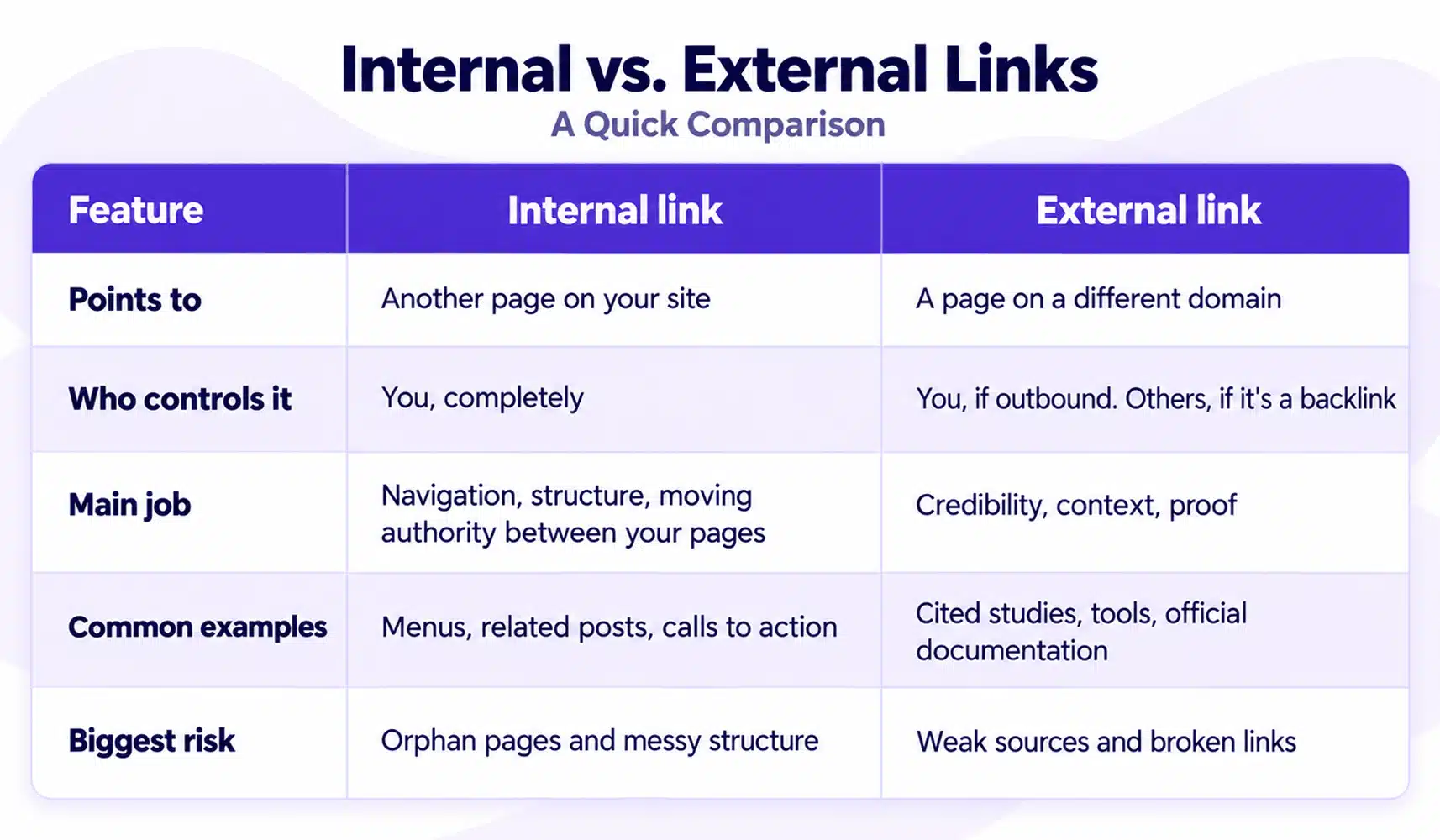
Notice something? Neither one is “better.” They do different jobs. Internal links are your strategy. External links are your evidence.
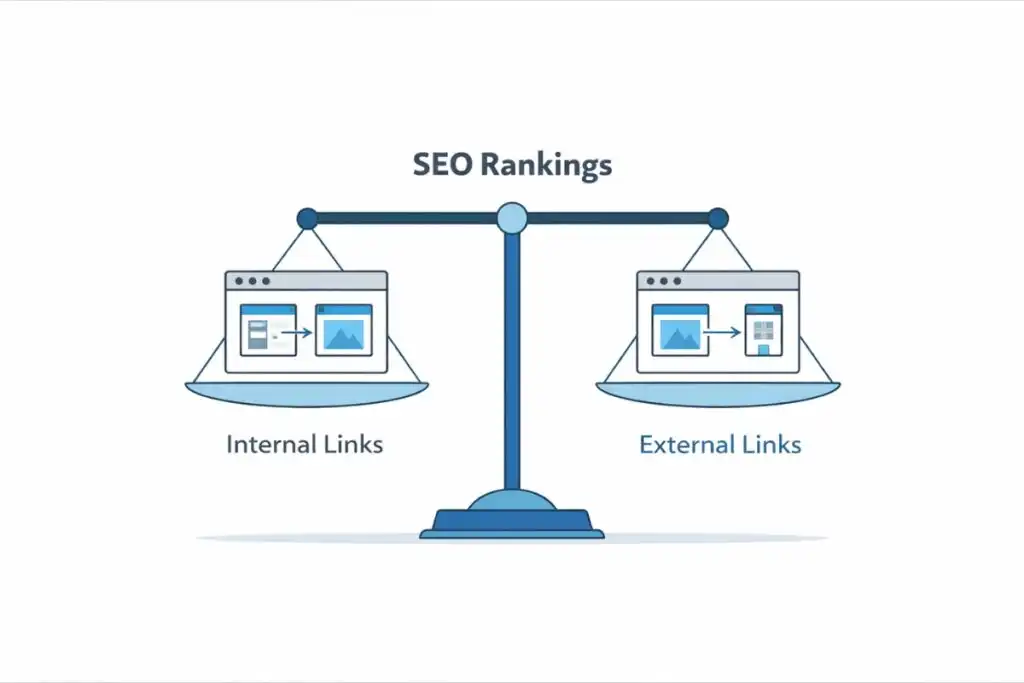
How Do Internal and External Links Help Your SEO?
Credit: firstsiteguide.com
Let’s take them one at a time.
Internal linking benefits you’ll notice first
They help Google find your pages. Google discovers pages by following links. Its own guidance says every page you care about should be linked from at least one other page. A page nobody links to is an orphan, and they are hard to find.
Explain what a page is about. The clickable words, called anchor text, give context. “Technical SEO checklist” tells Google far more than “click here.”
Move authority around. When a strong page links to a newer one, it points attention and authority there. That’s a cheap way to give new content a push.
Keep readers moving. One helpful link can turn a single-page visit into a three-page visit. That’s good for engagement and good for conversions.
Are external links good for SEO?
Short answer: yes, when they’re relevant and come from trustworthy sources. Here’s why.
They build trust. Google says citing your sources can help establish trustworthiness. Readers feel the same way. A claim with a source feels safer than a claim without one.
Add context. Sometimes the best explanation already exists somewhere else. Pointing to it makes your content more useful, not less.
Open doors. Link to someone’s work, and they may notice. Sometimes that turns into a relationship, a mention, or a link back.
One honest note. Nobody can promise that linking out will lift your rankings. Do it because it helps the reader; any SEO benefit is a bonus.
When Should You Use an Internal Link or an External Link?
Credit: quattr.com
Here’s the question I’d ask before adding any link: “Which page explains this best?”
If your own page does, link internally. If someone else’s page does, link externally. Don’t be precious about it.
Use an internal link when:
- You mention a topic you’ve already covered in depth.
- You want the reader to take a next step, like viewing a service page.
- A new page needs a way to be discovered.
- Two pages support each other and belong in the same topic group.
For example, say you’re reading about site structure and want expert help. Then a link to a team’s SEO services is a natural next step for the reader.
Use an external link when:
- You state a fact, a statistic, or a rule.
- The original source is stronger than your summary.
- A tool or resource helps the reader finish the job.
- You want to show where an idea came from.
Take Google’s own link best practices. If you’re explaining how Google treats links, send readers straight to the source. It beats a secondhand summary every time.
The mixed case
Most strong pages use both. A blog post about technical SEO might link to your service page (internal) and to Google’s documentation (external). Each link has a clear reason to exist. That’s the bar.
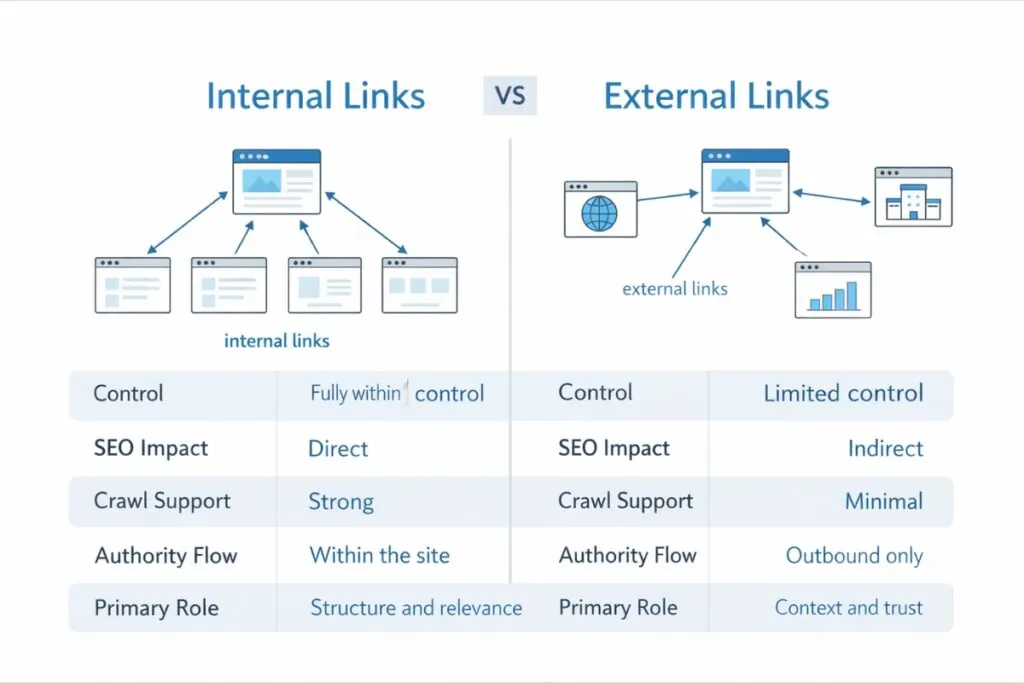
What Does Good Internal and External Linking Look Like?
Credit: firstsiteguide.com
Good linking is boring in the best way. The reader barely notices it; they just find what they need.
Here’s what that looks like in practice.
1. Links that Google can follow. Use a proper HTML link with an href. Google may struggle with links built only through script events. If you use a CMS like WordPress, this is handled for you.
2. Anchor text that makes sense alone. Try this test. Read only the clickable words, out of context. Do you know where the link goes?
- Weak: “To learn more, click here.”
- Strong: “See our guide to white hat SEO techniques.”
3. Natural placement. The words around a link matter too. Don’t chain five links in a row. Don’t stuff keywords into anchor text either. If it feels forced, it is.
4. The right rel attribute for outbound links. Most external links need nothing special. But Google recommends specific tags in specific cases:
nofollowwhen you don’t trust the source.sponsoredwhen you were paid for the link.ugcwhen readers add links, like in comments or forums.
Google’s page on rel attributes explains each one. Just don’t add “nofollow” for everything out of fear. Your internal links should stay normal.
5. A sensible count. How many external links per page? There’s no magic number. Google says if you think it’s too much, it probably is. As a rough guide, many SEOs keep internal links to a handful per long article. Quality beats quantity.
Simple Linking Habits That Make Your Content Better
You don’t need a big strategy but a few habits.
Link back after you publish. New posts often have no links pointing to them. Find two or three older, related posts and add a link to the new one. This is the fastest way to stop orphan pages before they start.
Read the source before you cite it. Is it current? Is it trustworthy? Does it really say what you think it says? A bad source makes you look careless.
Keep every link relevant. A post about meal prep has no business linking to your tax page. Irrelevant links confuse readers and dilute the good ones.
Check for broken links. Pages move. Sites die. Run a crawl every few months and fix dead links. Google Search Console’s links report also shows how your pages connect.
Update old content. Every time you publish, ask whether an older post should link to it. Pair this with solid white-hat SEO techniques, and your site gets stronger with every post.
To Sum Up
So, which one should you use? Both, but for different reasons.
Use internal links to guide readers through your website and help Google understand it. Small fixes here can improve results fast. Use external links to back up your claims and point people to the best resource.
Every link should pass one test: does it help the reader right now? If yes, keep it; if not, cut it.
Start small; pick one older post this week. Add two internal links and one solid external source. Then check that nothing is broken.
Want help building an internal linking structure across your whole website? The team at Hashtag Media can take that off your plate. So, get in touch!
Frequently Asked Questions
Before you put your linking strategy to work, let’s cover a few common questions.
What is the difference between an internal and external link?
An internal link connects two pages on the same website, and an external link points to a page on a different domain. Internal links help people and search engines move around your site. External links add credibility and context.
Do external links hurt SEO?
Not when they point to relevant, trustworthy sources. Google says citing sources can help establish trust.
How many internal links should a page have?
There’s no fixed number. Google says there’s no ideal count, and that too many is probably too many. Link where it helps the reader.
Should external links open in a new tab?
It’s a user experience choice, not a known ranking factor. Some sites open external links in a new tab to keep readers on the page. Others leave the default behavior. Pick one approach and stay consistent.
When should I use nofollow on a link?
Use nofollow when you don’t trust or don’t want to endorse the source. Use sponsored for paid links and ugc for links added by your readers. Don’t add nofollow to every external link, and keep internal links normal.