
In today’s fast-paced digital world, waiting for a slow website to load is like waiting for a kettle to boil—frustrating, right? Users expect things to be instant, and honestly, so do I. If your website takes forever to load, you’re not just losing patience from your visitors—you could be losing visitors altogether. And let’s face it, Google isn’t too fond of slow websites either. So, if your site is dragging its feet, it’s time for a change. Let’s understand how to make a website load faster and get your site performing at its best!
Why Is My Website Slow?
Before jumping into solutions, it’s important to understand why your website may be sluggish. Common culprits include:
- Large media files: High-quality images and videos can slow down load times.
- Unoptimized code: Bloated HTML, CSS, and JavaScript can increase load times.
- Too many HTTP requests: Each element on a webpage (images, scripts, etc.) requires an HTTP request, which can add up.
- Server performance: A slow or overloaded server can significantly delay page loading times.
The good news? There are plenty of solutions to address these issues. Let’s explore the steps you can take to speed things up.
Compress Images and Media Files
Now, how to make a website load faster? And why exactly is it slow? One of the top reasons for slow loading sites is large images. Optimizing images can make a big difference in how fast your website loads. Here’s how to get it right:
- Use the right file formats: JPEG is great for photos, while PNG works well for graphics with fewer colors.
- Compress images: Use tools like TinyPNG to reduce file sizes without compromising quality.
- Enable lazy loading: Lazy loading ensures that images only load when they come into view, reducing initial load time.
Minimize HTTP Requests

Credit: blog.pixelfreestudio.com
Every element on your page, from images to fonts, requires a separate HTTP request. Reducing the number of elements on your page will result in fewer requests, leading to faster load times. Here’s how to minimize HTTP requests:
- Combine files: Merge multiple CSS and JavaScript files into one.
- Use CSS sprites: Combine images into a single file to reduce HTTP requests.
- Limit external resources: Only include essential external resources (like fonts or analytics).
Optimize Your Website’s Code
Unoptimized code can seriously slow down a website. Cleaning up your HTML, CSS, and JavaScript is essential for improving speed. Some tips to keep your code lean and fast include:
- Minify your code: Use tools like CSS Minifier and JSCompress to reduce the size of your code.
- Remove unnecessary code: Eliminate unused CSS or JavaScript to reduce page weight.
- Asynchronous loading: Make sure scripts load asynchronously to avoid blocking the page rendering process.
Use a Content Delivery Network (CDN)
A CDN distributes your content across multiple servers worldwide, ensuring that users load the website from the closest server to their location. This can significantly reduce loading time, especially for global audiences. Key benefits of a CDN include:
- Faster loading speeds: Content is delivered from a geographically closer server.
- Reduced server load: Offload traffic to multiple servers instead of relying on one.
- Better scalability: Handle traffic spikes without sacrificing performance.
Enable Browser Caching

Credit: kinsta.com
Browser caching allows returning visitors to load your site faster by storing some of your site’s data in the user’s browser. Instead of fetching all elements from the server every time, the browser can reuse cached content, improving load times.
- Set expiry dates for static resources: Specify how long elements like images, CSS, and JavaScript should stay in the cache.
- Leverage cache control headers: Use HTTP headers to instruct browsers to store resources locally.
Optimize Your Server
The performance of your server plays a significant role in your website’s loading speed. Here are some ways to boost your server performance:
- Upgrade your hosting: Shared hosting can be slow, especially if your site gets a lot of traffic. Consider switching to VPS or dedicated hosting.
- Use PHP 7+: Newer versions of PHP offer better performance than older versions.
- Ensure proper database optimization: Now, back to the question of how to make a website load faster. You’re running a dynamic site (like WordPress), optimizing your database queries can reduce load times.
Leverage GZIP Compression
GZIP compression reduces the size of HTML, CSS, and JavaScript files, making them quicker to download. It’s a simple yet effective way to increase website speed. Most modern browsers support GZIP, and it can be easily enabled on your server.
Minimize Redirects
Redirects may seem harmless, but they can add unnecessary time to your page loading process. Each redirect adds a round trip to the server, which increases load time.
- Avoid unnecessary redirects: Use permanent redirects (301) only when necessary.
- Fix redirect chains: Ensure that each redirect leads directly to the final destination without intermediate redirects.
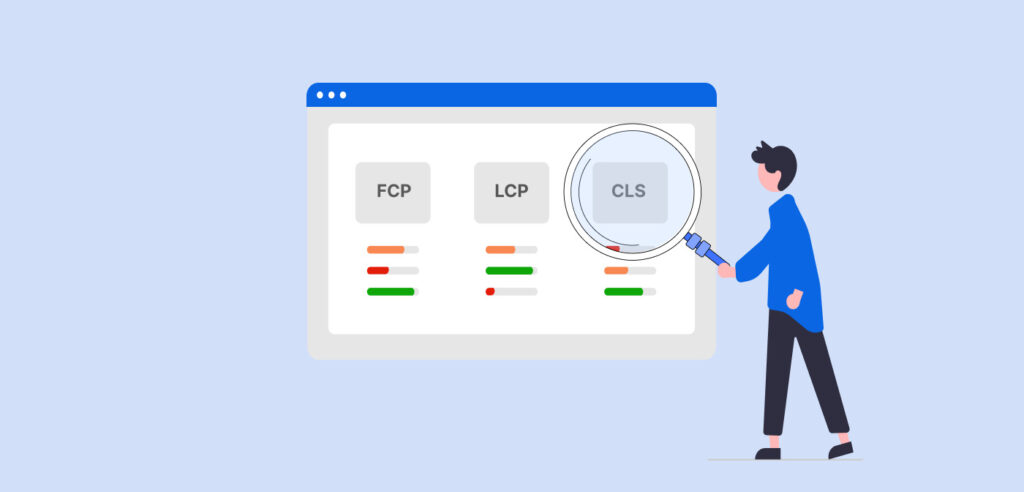
Monitor Website Speed and Performance
Credit: webyes.com
You can’t improve what you don’t measure. Regularly test your website’s performance using tools like:
- Google PageSpeed Insights
- GTMetrix
- Pingdom
These tools provide valuable insights into your website’s loading time and highlight areas for improvement.
Consider a Website Speed Consultant
If you’re struggling to implement these tips on your own, hiring a website speed consultant might be worth the investment. A consultant can conduct a thorough website speed analysis, optimize your site’s code, and implement advanced performance strategies. You can even explore professional services like website speed optimization for expert help.
Final Word
Wrapping up, making your website faster not only enhances the user experience but also improves your SEO and overall business performance. If you’re unsure where to start, consider consulting a professional website speed expert.
Need help with improving your site’s reputation as well? Check out our Online Reputation Management Service for further assistance.
Frequently Asked Questions (FAQs)
Got questions? I’ve got answers! Check out these FAQs for quick solutions to speed up your site.
How do I check my website’s loading speed?
You can use tools like Google PageSpeed Insights, GTMetrix, or Pingdom to test your website’s loading speed and get recommendations for improvements.
Why is my website slow even though I have fast hosting?
Your website may still be slow due to factors like unoptimized images, excessive code, or inefficient scripts. Optimizing these elements can significantly speed up your site.
What is the best way to improve website speed for SEO?
Improving website speed is crucial for SEO. Google considers load time as a ranking factor, so faster load times can improve your search engine rankings.
Can using a CDN help with speeding up the browser?
Yes, a CDN speeds up the loading time by serving content from servers closer to the user, reducing latency and improving overall performance.
How can I improve website speed on WordPress?
To improve website speed on WordPress, try using a caching plugin, optimizing images, reducing the number of plugins, and choosing a fast WordPress theme.