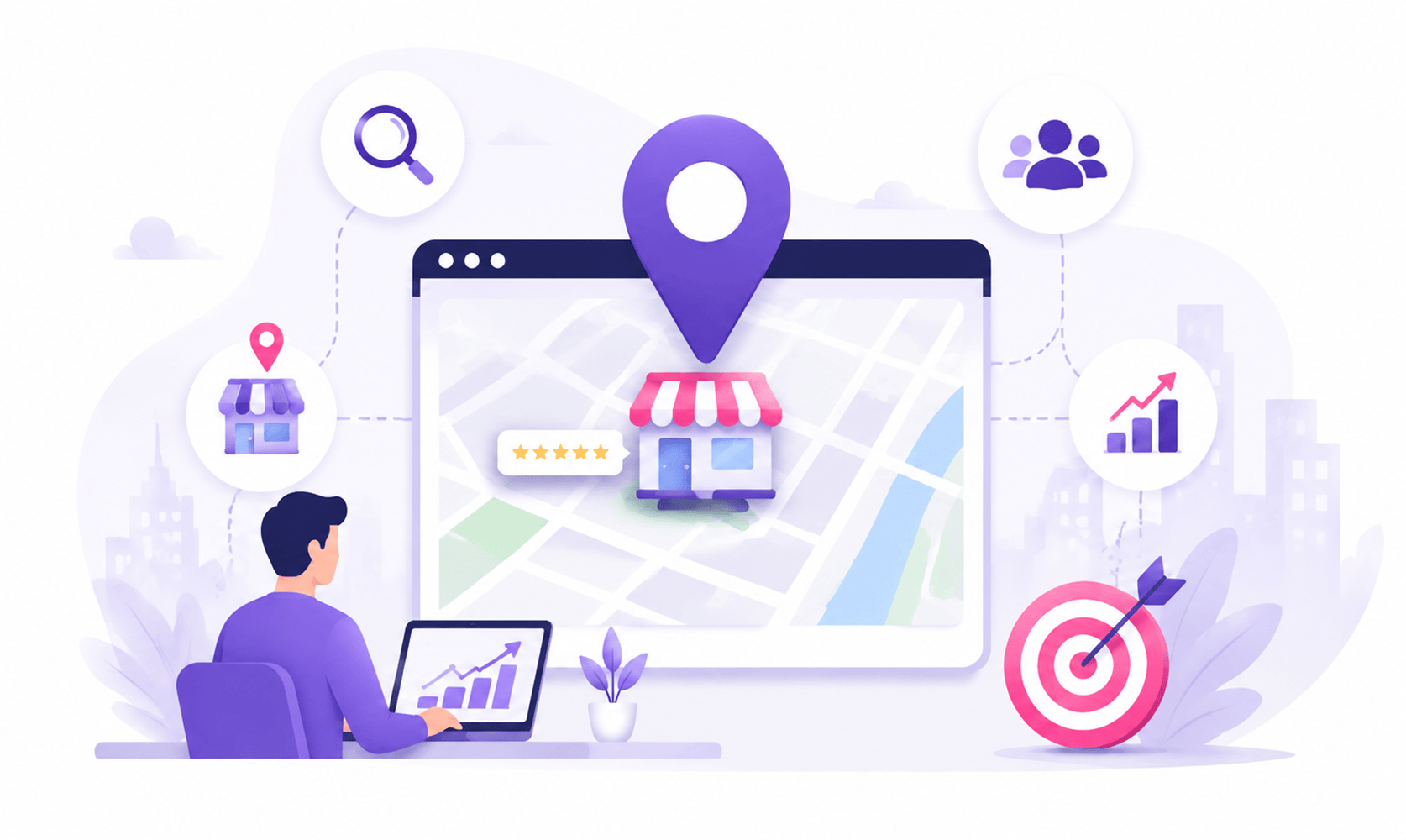

What if your client was missing from the exact place customers search first? Picture this. A customer searches for “best services near me” on Google. They are ready to call, book, or visit a business. But your client does not appear on Google Maps. The customer does not wait. They choose another option. This is why creating GMB for clients is an essential part of local marketing. A Google Business Profile (formerly known as Google My Business) helps businesses appear in Google Search and Maps, connect with customers, collect reviews, and improve local visibility. But creating a profile is only the beginning. A successful Google Business Profile needs proper setup, verification, optimization, reputation management, and continuous updates.
We will walk through the complete process of creating and optimizing a Google Business Profile for clients.
What Is Google Business Profile and Why Does It Matter?
Google Business Profile is a free tool that allows businesses to manage how they appear across Google Search and Google Maps.
For local businesses, it acts like a digital storefront. Before customers visit a website, they often check:
- Business location
- Reviews
- Opening hours
- Photos
- Services
- Contact details
A well-optimized profile improves brand visibility and helps customers make faster decisions.
A poorly managed profile can create confusion and send potential customers to competitors.
Step 1: Check If a Business Profile Already Exists

Credit: mywebaudit.com
Before creating GMB for clients, the first step is research. Never immediately create a new listing without checking.
Search for:
- Business name
- Phone number
- Address
- Website
- Google Maps results
This helps you see if a GMB listing has been created already.
Duplicate profiles can create problems. They may confuse customers and affect local rankings. If a profile already exists, the correct approach is to claim or request access instead of creating another one.
Can Google Users Create GMB Listings for Businesses?
Yes, Google users can suggest new places on Maps. However, business owners or authorized representatives should claim and manage the official profile.
The goal is simple:
Find the existing listing first. Create a new one only when necessary.
Step 2: Prepare Client Information Before Setup
Good preparation makes the process easier.
Before creating the profile, collect all important business details.
Account Setup Checklist
Prepare:
- Official business name
- Business category
- Address
- Service areas
- Phone number
- Website URL
- Business hours
- Services
- Logo
- Business photos
- Description
Accuracy matters.
Google uses this information to understand the business and match it with relevant searches.
Step 3: Set Up Proper Ownership and Access
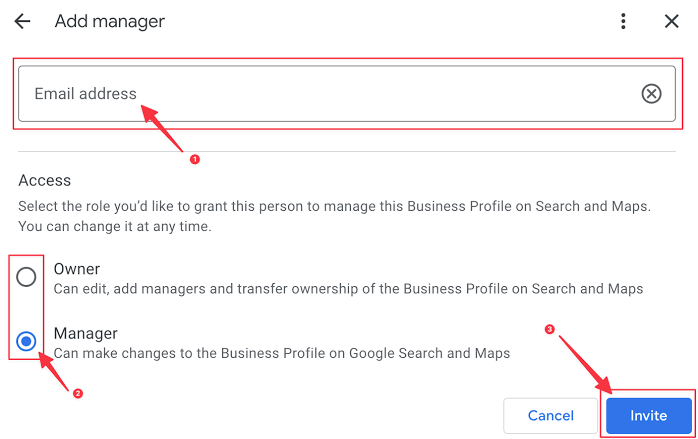
Credit: usergrowth.io
Ownership is one of the most important parts of creating GMB for clients. The business owner should always maintain primary ownership.
Agencies, marketers, or team members can receive access as managers.
This creates a safer structure.
i. Client Ownership
The business owner keeps control of the profile.
ii. Team Management
Authorized users can update information, respond to reviews, and manage content.
iii. Easy Collaboration
Everyone has the right access level without ownership conflicts.
A common question is:
Can I Create Multiple GMB With One Gmail?
Yes. One Google account can manage multiple business profiles. However, every profile must represent a real and eligible business location.
If multiple people need access, you can add user to Google My Business account through business profile settings.
Step 4: Create or Claim the Business Listing
Once the information is ready, the next step is to create or claim the profile. If the business does not exist, select the option to create a new GMB listing.
If Google already has a profile, claim it.
During setup, focus on accuracy.
Add:
- Correct business name
- Primary category
- Secondary categories
- Business description
- Website
- Contact information
- Operating hours
- Services
Avoid adding extra keywords to the business name.
For example, adding “Best Affordable Plumber in Dubai” instead of the real business name can create problems.
Keep it natural.
Step 5: Choose the Correct Business Location
Credit: leadsie.com
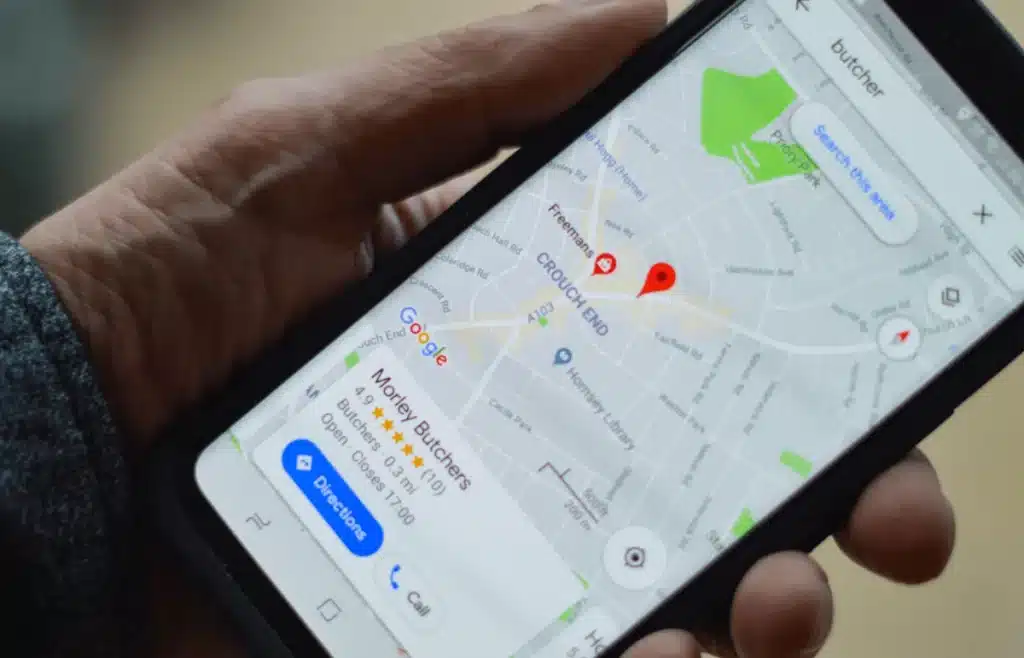
Location settings directly affect local visibility.
Google Business Profiles usually fall into three types:
Storefront businesses
Service-area businesses
Hybrid businesses
A restaurant, shop, or clinic usually displays a physical address. A plumber, cleaner, or mobile service provider may use service areas instead.
Correct location targeting helps businesses reach the right audience.
Adding random cities or locations can weaken trust.
Step 6: Optimize Every Section of the Profile
A complete profile has a better chance of attracting customers.
Optimization is where a basic listing becomes a powerful marketing asset.
Improve Business Information
Keep all information updated.
Focus on:
- Accurate hours
- Updated services
- Correct contact details
- Helpful descriptions
Add High-Quality Images
Image selection plays a major role in customer trust.
Upload:
- Store photos
- Team pictures
- Product images
- Service examples
- Workspace photos
Real photos perform better because they help customers understand the actual business.
Add Services and Products
Detailed services help Google understand what the business offers. They also help customers quickly find relevant information.
Step 7: Verify the Google Business Profile
Credit: voltage.digital
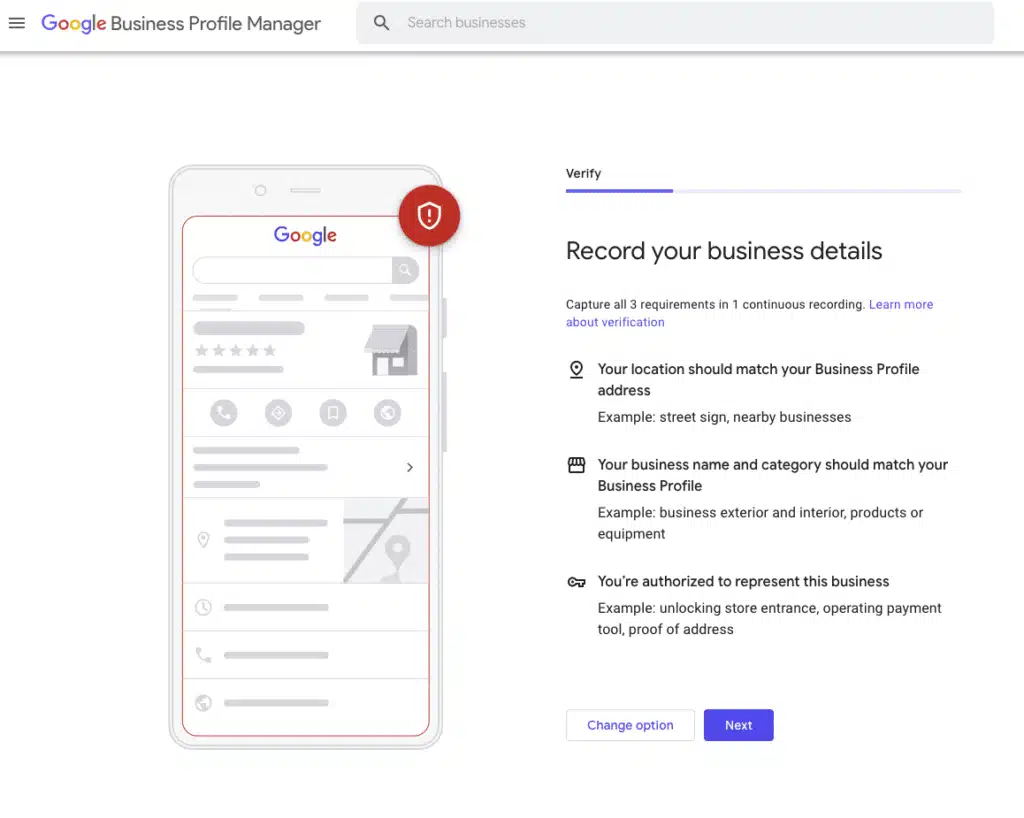
Verification confirms that the business is legitimate.
Many people ask:
How to Verify My Google Business Account?
Google decides which verification methods are available.
These may include:
- Video verification
- Phone verification
- Email verification
- Mail verification
For video verification, businesses may need to show:
- Business location
- Signage
- Equipment
- Proof of operation
Preparing documents and evidence before verification can reduce delays.
Step 8: Improve Local Rankings With Smart Optimization
Credit: rankmax.com.au
Creating GMB for clients is not only about making a profile.
The goal is improving visibility.
Google considers several ranking factors, including:
- Relevance
- Distance
- Business prominence
- Reviews
- Profile activity
Here are the main optimization areas:
a. Content Optimization
Use clear descriptions. Add accurate services. Keep information fresh. The profile should match the business website.
Strong local SEO strategies, including optimized pages, internal links, and title tags, can support better performance through search engine optimization services.
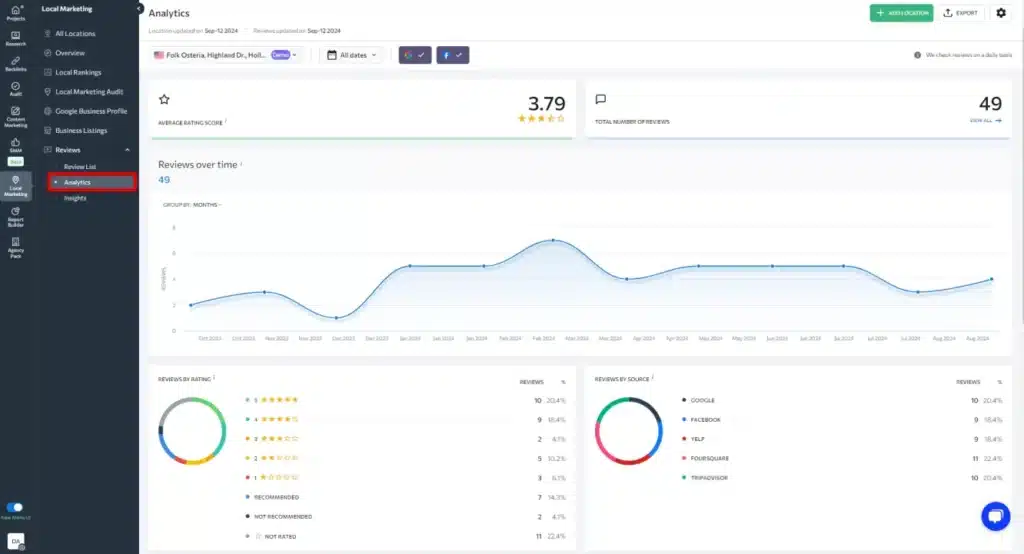
b. Reputation Management
Customer trust matters. Reviews influence buying decisions and local visibility.
A good review strategy includes:
- Asking happy customers for feedback
- Responding professionally
- Handling negative comments calmly
Businesses can strengthen their reputation through effective online reputation management services.
c. Citations Management
Business information should remain consistent across directories. Matching details across platforms improves trust signals.
Step 9: Create a Review Generation System
Reviews are one of the strongest trust factors for local businesses.
A common question is:
How to Create a Link to GMB for Review?
Google allows businesses to generate a direct review link from their business profile.
This link can be shared through:
- Emails
- Text messages
- Receipts
- Social media
- QR codes
A strong review strategy includes:
a) Asking customers at the right time
b) Making the process simple
c) Responding to every review
Never purchase fake reviews.
Authentic feedback creates long-term trust.
Step 10: Track Performance and Improve Results
Credit: shahrozesparacha.com
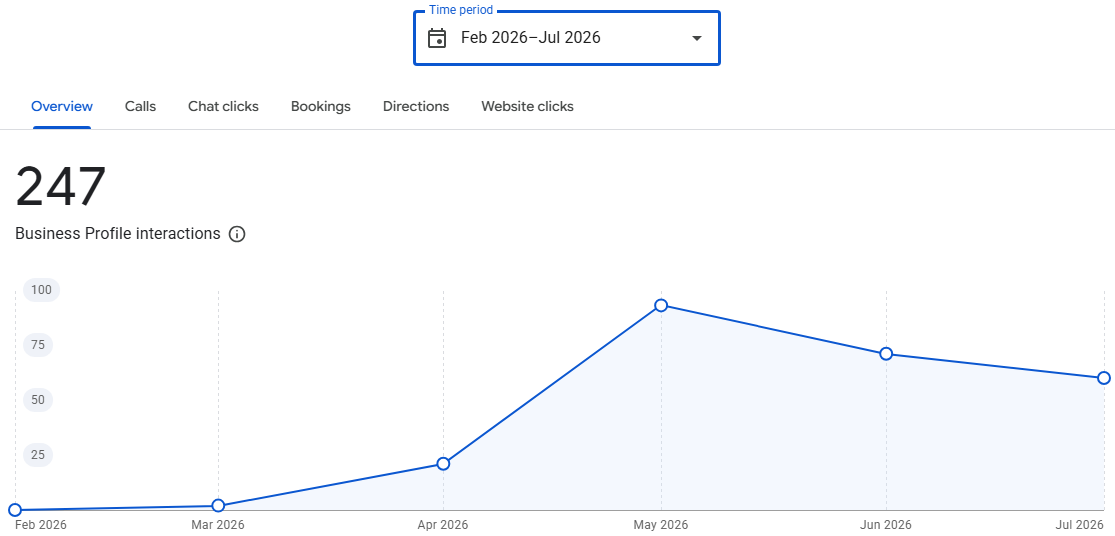
A Google Business Profile should be monitored regularly. Tracking performance helps understand customer behavior.
Important metrics include:
- Profile views
- Calls
- Website clicks
- Direction requests
- Search terms
- Review growth
Traffic analysis helps identify what attracts customers and what needs improvement.
A profile that is regularly updated has more opportunities to stay competitive.
Common Mistakes to Avoid
When creating and managing profiles, avoid:
- Creating duplicate listings
- Using incorrect business information
- Choosing the wrong category
- Ignoring reviews
- Adding fake locations
- Uploading poor-quality images
- Forgetting profile updates
Small mistakes can reduce trust and visibility.
What Happens If You Delete Your Google Business Account?
Many users search:
How to Delete Google My Business Account?
Removing a profile should be done carefully. Deleting access does not always remove all information from Google. Reviews and user-added content may still exist.
Another common question is:
What Happens If I Delete My Google Business Account?
The business profile may lose owner-controlled content. However, Google Search and Maps information may not disappear immediately.
If a business closes, marking it permanently closed is usually the better option.
The Bottom Line
Summing up, Google Business Profile is more than just an online listing. It is often the first impression customers get of a business. That is why creating GMB for clients requires more than basic setup. It involves accurate information, proper verification, valuable content, review management, and regular updates. When optimized correctly, a profile can improve local visibility, build customer trust, generate more calls and leads, and strengthen online reputation.
A well-managed Google Business Profile does not just help customers discover a business, it helps them feel confident choosing it.
FAQ’s
Is Google Business Profile free?
Yes, eligible businesses can create profiles without paying Google.
Can one Gmail account manage multiple profiles?
Yes, one account can manage multiple business locations.
How long does verification take?
Verification time depends on the method and Google’s review process.
Do reviews improve local ranking?
Reviews help build trust and can influence local visibility.
How often should a profile be updated?
Profiles should be reviewed regularly and updated whenever information changes